Print to pdf in the background

Emon
Hi,I'm here to ask gurus for help.
I'm tasked to expand our addon for sapbo adding support for coresuite (to run on clients with coresuite running).
What I've to create is the functionality to generate a pdf of a document (given current user, objtype and docentry) without the user seeing it (no user input or preview).
Simply, we grab sapbo event on the document save and generate the pdf of it in the background.
Witch options do I have to do it ? ideas ?
I've already tryied batch and remote printing (they show the pdf's preview to the user, witch is not wanted).
Thanks in advance.
Emon
Paolo Manfrin
Hi Emon,when are you triggering the action?
You could create an optimizer rule containing the following command:
LayoutHelper.LD.ExecutePrintDef("printDefCode", LayoutHelper.LayoutOpener.OpenLayoutModes.PDF, paramList);
This will trigger designer to execute a specific print definition and you will give all parameters necessary for the creation of the report.
In the tab "Email/Fax" you can configure the export path where the PDF will be saved.
hth
paolo
Michael Weil
Paolo,
I have tried with your optimizer rule.
What I get is the new subfolder given in the print definition at "Email/Fax" but this subfolder is empty. No PDF-File created/saved.
That is the same behaviour that "it-Manara" described in the post: http://forum.coresystems.ch/index.php?/topic/6186-get-printed-document/
Any idea? As it produces the subfolder given with printdefinition, the rule should be executed.
Thank you.
Michael
-

Hello
I am trying to generate a PDF from an invoice in background after clicking ADD.
When I use a customize rule with:
LayoutHelper.LayoutOpener.ExecutePrintDef("T0000005",LayoutHelper.LayoutOpener.OpenLayoutModes.PDF,"DocNum",sDocNum);
The PDF is generated “VISUALLY”. This is annoying as it doesn't close automatically.
When I change the customize rule to:
LayoutHelper.LD.ExecutePrintDef("T0000005",LayoutHelper.LayoutOpener.OpenLayoutModes.PDF,"DocNum",sDocNum);
NOTHING happens, what am I doing wrong, and how can you silently generated the PDF?
Kind regards
Steven
0 -

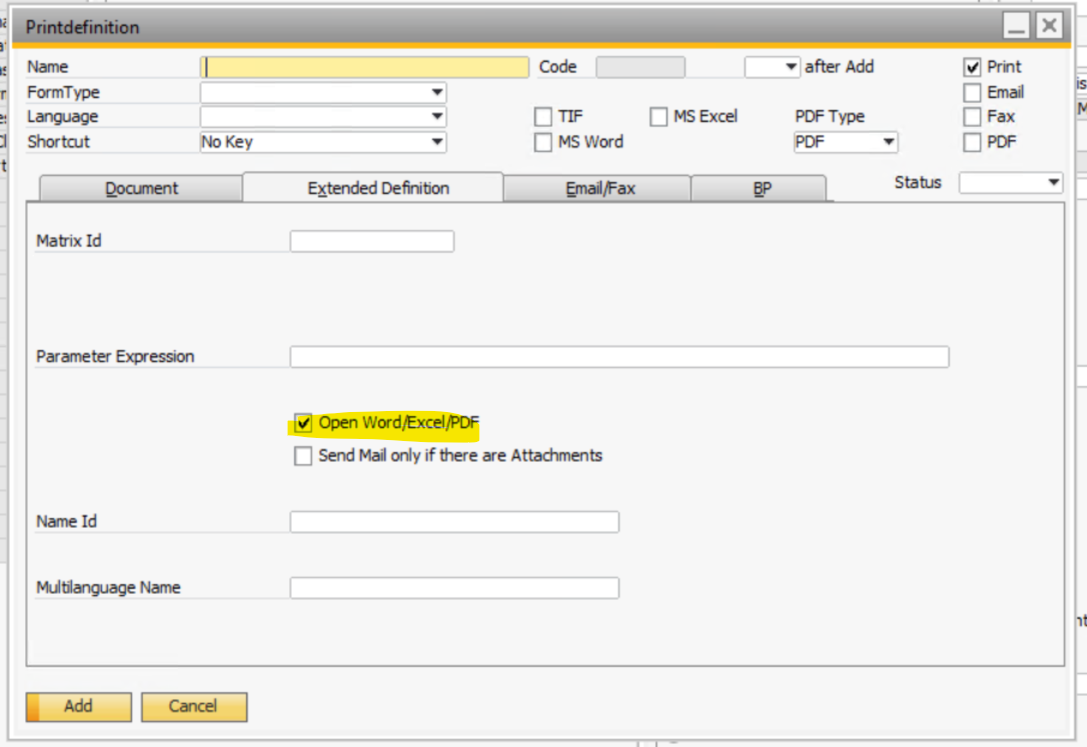
Hello Steven, please check for the variant with LayoutHelper.LayoutOpener.ExecutePrintDef if in your Printdef T0000005 this flag is not set:
 0
0 -
Thanks Michael, that does the trick!
Appreciate your quick response!
0 -

Hi Michael.
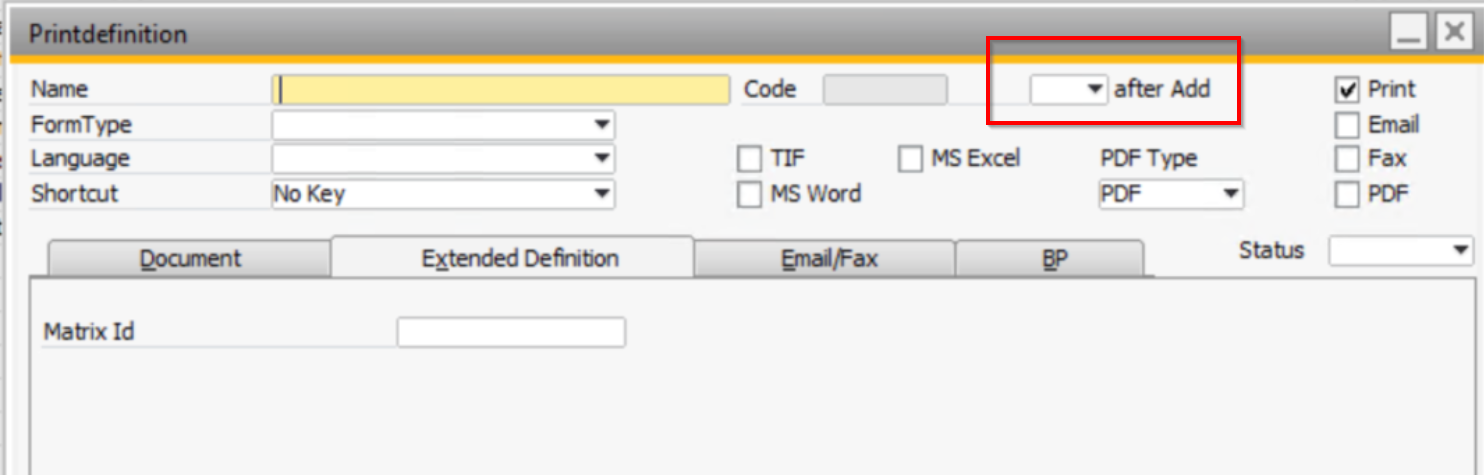
or try function direct in the PrintDef
 0
0
Please sign in to leave a comment.
Comments
4 comments