Issue: Batch Printing Delivery Document with Two Layouts Prints Two Copies of Each Layout

Hello,
Issue: We are encountering a problem with duplicate printouts when using two different layouts in the print definition for delivery documents via Batch Print in B1IF. At times, the system prints correctly—one copy of each layout. However, in other cases, it generates two copies of each layout, resulting in duplicates.
Analysis:
- We attempted to configure the PrintJob Option using Group1 and Group2 for the layouts. Despite this, the system still produced two copies of each layout.
- We also tested by setting PrintJob Option to 1 Job Per Copy. This configuration likewise resulted in duplicate printouts (two copies of each layout).
- When printing to PDF, the output is correct, with only one copy of each layout generated. However, when sending the job to the physical printer, the issue reappears, producing two copies of each layout.
Environment:
- SAP Business One Version: 10.0 FP 2508
-
Coresuite Version: 8.40
If anyone has encountered a similar issue and can identify the possible cause, we would greatly appreciate your guidance or a suggested solution.
Please refer to the attached configuration screenshot for reference.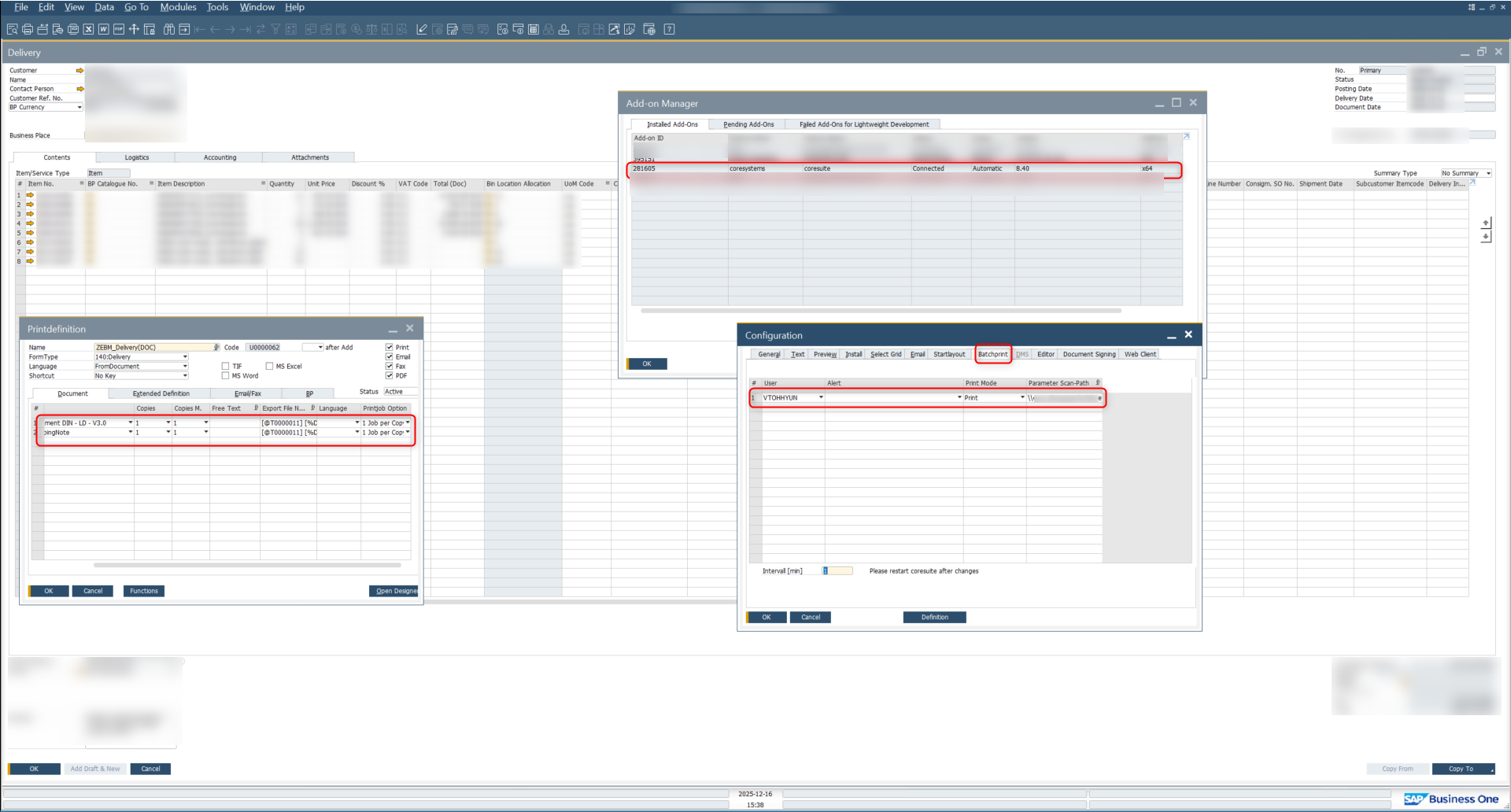
-

Hi,
please try to leave the PrintMode blank. You have to add the parameter in the xml-File like in the examples
<?xml version='1.0' encoding='UTF-16' standalone='no' ?>
<job>
<!-- use modes: PDF,Print,Email,Fax,Preview -->
<type mode="Print" layoutid="0" formtype="" />
<paramsets>
<paramset>
<params>
<!-- Provide all the Parameters which your Layout(s) require -->
<param key="DocEntry" value="10" />
<!-- get the PrintDefId from the Printdefinition - Form in the Extended Tab -->
<param key="PrintDefId" value="DocSalesOrder" />
</params>
</paramset>
</paramsets>
</job>
Normally the Copy M. column (PrintDef) is responsible for the copies.
regards Lothar
0 -
Hi Lothar,
Thank you for sharing your knowledge.
Now I have set Print mode as blank in the SAP-B1 core suite configuration. Now also the printer prints the two copies of each layout Here is the screenshot of my configuration and xml file as follows.
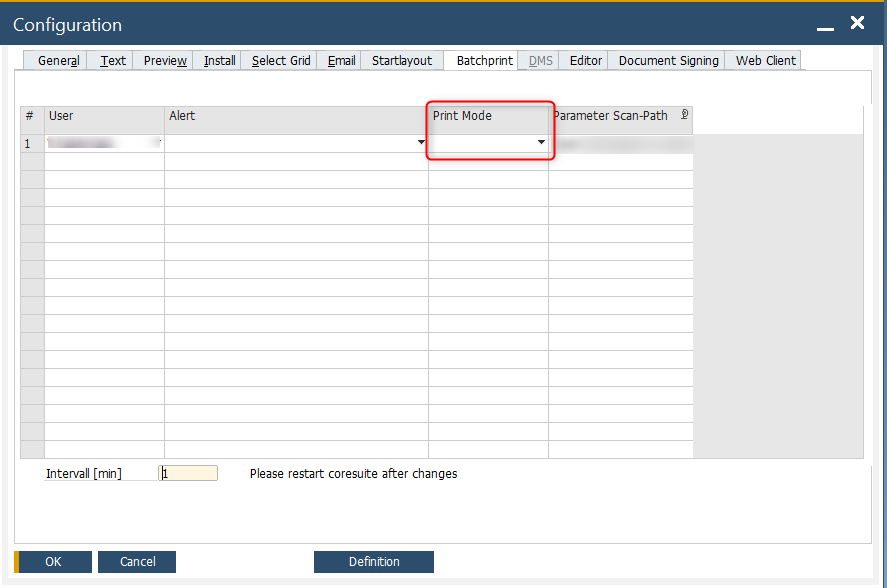
And my xml for print is
<xsl:template name="transform">
<xsl:variable name="DocEntry" select="//BOM/BO/ODLN/row/DocEntry"/>
<job>
<type mode="Print"/>
<paramsets>
<paramset>
<params>
<param key="DocEntry">
<xsl:attribute name="value">
<xsl:value-of select="$DocEntry"/>
</xsl:attribute>
</param>
<param key="PrintDefId" value="DocDeliveryNote"/>
</params>
</paramset>
</paramsets>
</job>
<!-- </Fileout> -->
</xsl:template>
0 -
Hi,
nice to hear that it now work for you.
Your xml is interessting. Do you you excel to generate it?
regards Lothar
0
Please sign in to leave a comment.
Comments
3 comments